

Ignite Your Instruction: Turning Data into Classroom Magic with AI!
by Susan Coulter, OTAN Subject Matter Expert

OTAN Stock Photo
Unlock the hidden potential in your assessment data and transform the way you teach! Imagine turning spreadsheets and test results into a customized, high-impact lesson plan in a matter of seconds. By pairing your expertise with Artificial Intelligence (AI), you can instantly create vibrant practice materials tailored to the unique needs of your adult learners. Let data drive the heavy lifting so you can focus on what you do best: inspiring and mentoring your students.
This guide explores how instructors in Adult Education programs can leverage AI to analyze multiple data sources—from CASAS results to Google Forms—to make informed, actionable instructional decisions.
Data is the heartbeat of a responsive classroom, yet it often feels like a chore to manage. Whether it’s a formal standardized test or a quick workshop evaluation, these numbers tell a story.
For instance, I recently took the raw responses from a workshop evaluation and asked an AI to identify recurring themes and suggestions for improvement. The AI provided specific insights that I missed at first glance, allowing me to refine my presentation for the next workshop. As an educator, your first step is to look at the data you already have and ask: “How can this make my job easier?”
We will be using Google Gemini AI due to the way it integrates with Google Drive. CASAS data will be used primarily to identify skill gaps and performance trends, while Google Forms assessment data will be highlighted as an effective way to evaluate learning outcomes and trends. Together, these data sources provide actionable insights that help educators target instruction, differentiate support, and accelerate student learning.
DATA
Google Forms Assessments
Educators can significantly simplify the creation of Google Forms assessments by using AI to bridge the gap between raw curriculum and actionable data. By uploading specific instructional information to an AI tool, educators act as prompt engineers, dictating the quantity and variety of questions produced. While some shy away from open-ended responses, modern AI excels at analyzing short-answer questions for thematic consistency.
Google Forms can serve as a powerful tool for real-time formative assessment; by deploying brief 'exit tickets,' instructors can instantly gauge student comprehension and identify specific concepts that require reinforcement in the next lesson.
Guide to Google Forms Creation
Google Gemini can generate the structure and questions of a form; however, it has some limitations when it comes to automatically configuring Quiz Mode and Answer Keys. Inside Google Forms is the Help Me Create Feature. This feature generates questions, multiple-choice options, and scales based on your prompt. It does not currently toggle the Make this a quiz setting in Google Forms, nor does it pre-select the correct answers in the Answer Key. Access to these features depends on your account type. These features are available to users with a Gemini for Google Workspace add-on (Business, Enterprise, or Education) or a Google One AI Premium subscription. It is not currently available for those with a free Google account.
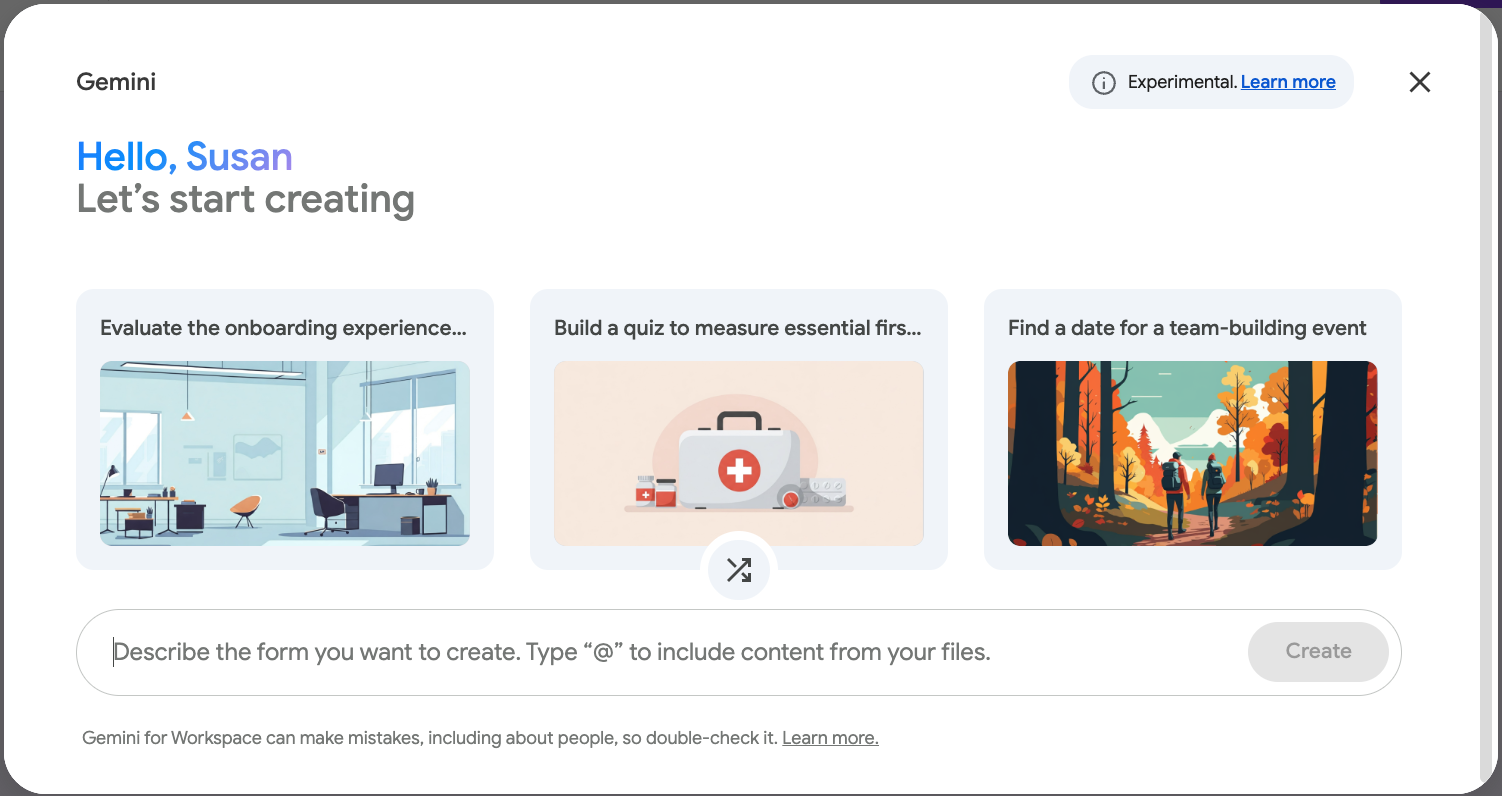
Source: https://docs.google.com/forms/ (License: Protected by Copyright (c) [i.e. screenshot])
If you have a free Google account, you can still use the Gemini web app (gemini.google.com) to write your questions; however, you will have to manually copy and paste those questions and answers into the Google Form yourself. It won’t “push” the data into the form file automatically if you are a free user.
I was very impressed with the Help Me Create Feature inside Google Forms. Within seconds I was able to create an Exit Ticket and publish it. You can also link your form to Docs, Sheets, or Slides by using the @menu. Be sure to check out these features.
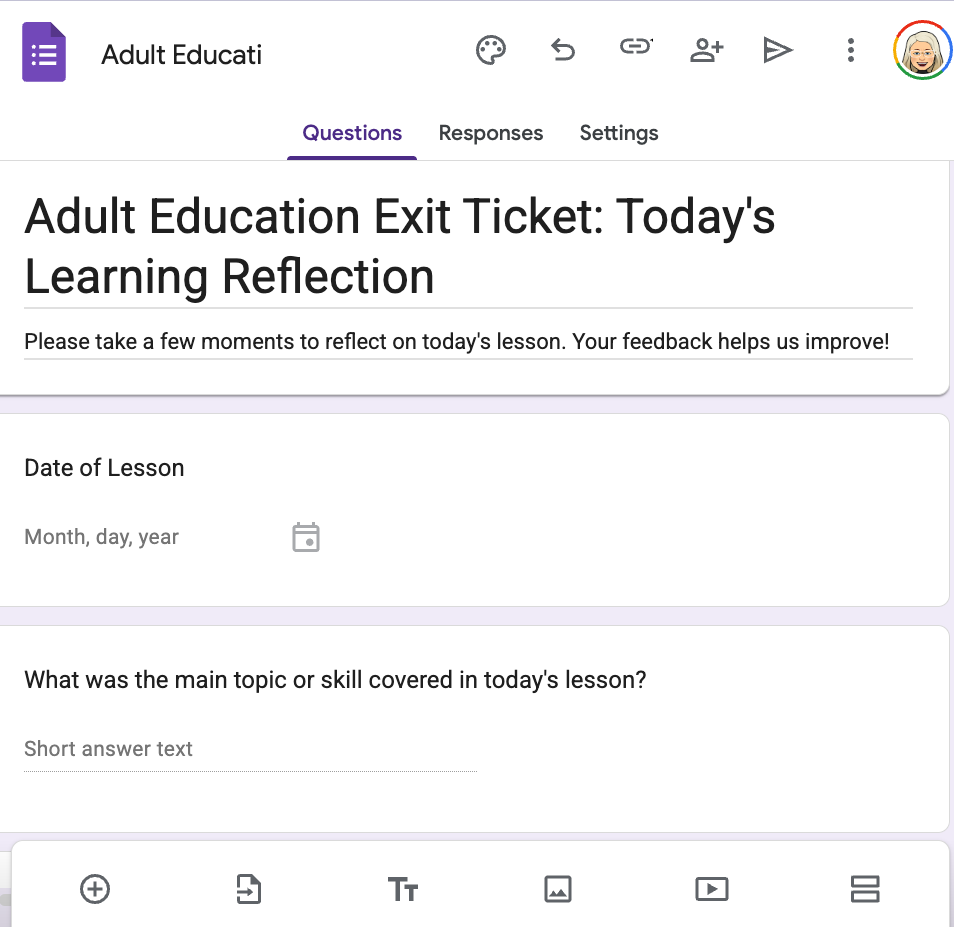
DATA from a Google Form
- Once you have published your form and distributed the link to your students, it is time to analyze the results. Go to your Google Form found in your Google Drive.
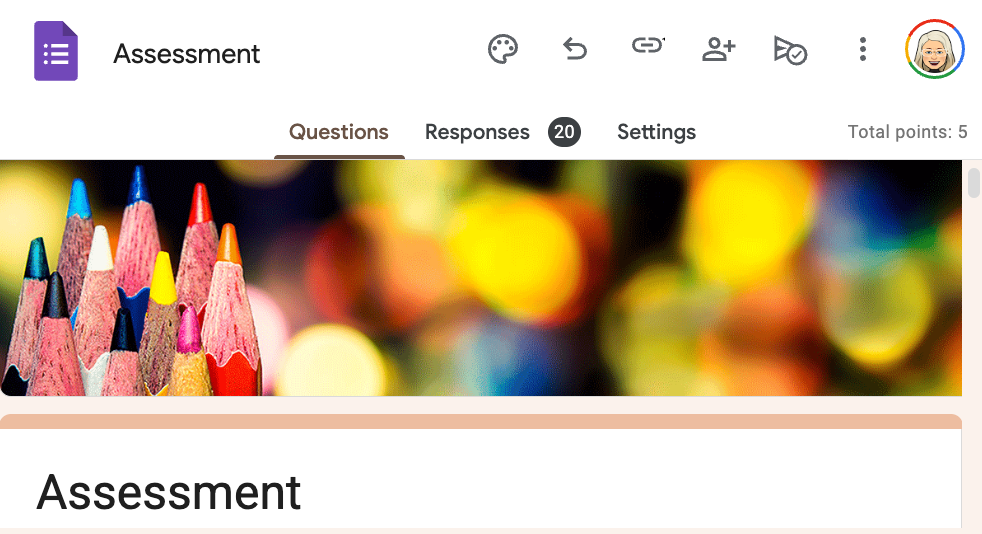
Source: https://docs.google.com/forms/ (License: Protected by Copyright (c) [i.e. screenshot])
- At the top of your Form, you will see Questions, Responses, and Settings. Select Responses.
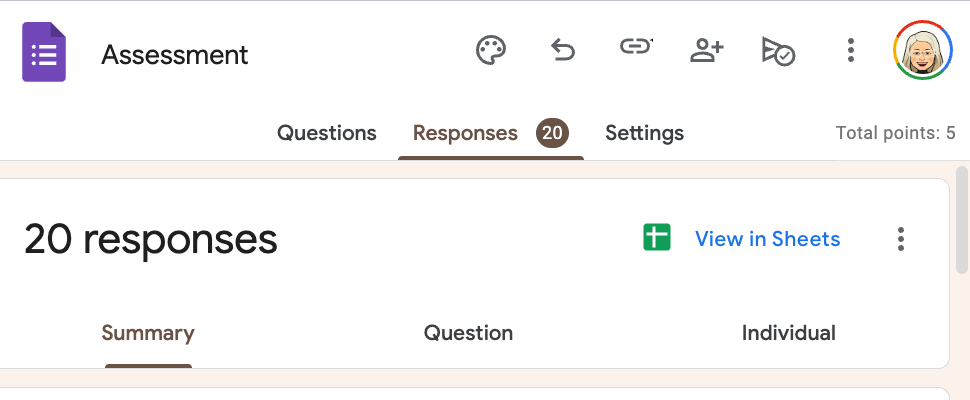
- Select View in Sheets
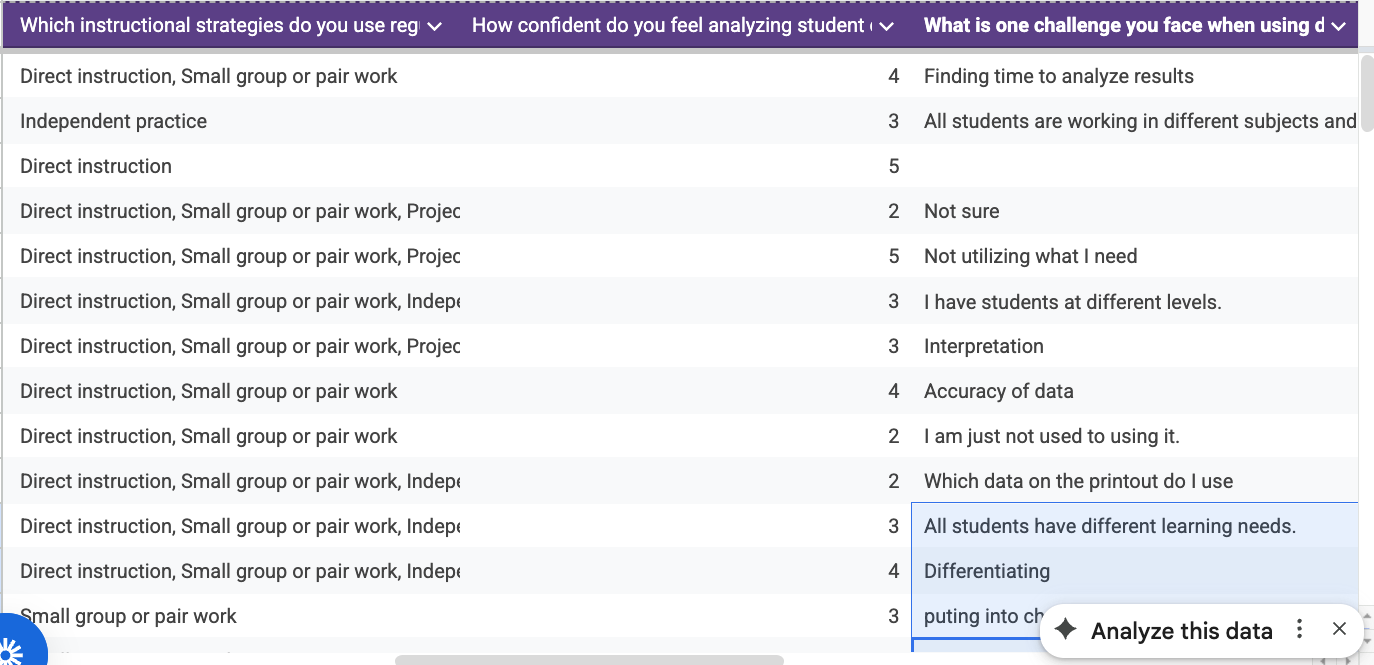
Source: https://docs.google.com/forms/ (License: Protected by Copyright (c) [i.e. screenshot])
Never upload personally identifiable student information to any AI platform. Redact student names, and replace them with a letter, number, or other anonymous identifier. This can be easily done by adding a column with an anonymous identifier and removing student names. This process allows you to analyze meaningful skill data while maintaining compliance with privacy requirements and safeguarding student confidentiality.
- Save this file
- Select the plus sign to upload the file to Google Gemini
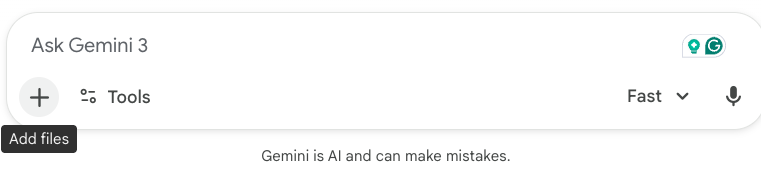
Source: https://gemini.google.com/ (License: Protected by Copyright (c) [i.e. screenshot])
Prompts
ROLE: You are an expert Adult Education Instructional Designer specializing in [ABE] instruction
TASK: See samples below
- Identify the specific Question or concept that had the highest number of incorrect answers. Why do you think students are tripping up here?
- Highlight one area where the class showed high mastery so I can offer positive reinforcement tomorrow.
- Suggest a 10-minute “Review and Re-teach” strategy for the start of class tomorrow specifically addressing the most common misconception found in the data.
- Identify any students, by anonymous identifiers, who scored significantly lower than the average and suggest a specific scaffolding resource I can provide them.
CONTEXT: These students are [preparing for the high school equivalency test.]
TONE: The tone should be professional, encouraging, and focused on immediate instructional action.
If your Google Form included a "What is one thing you're still confused about?" open-ended question, the AI will "code" those responses into themes, so you don't have to read 20 individual comments to find the common thread.
Feel free to continue the conversation and ask for resources, worksheets, and activities. Remember, you are the prompt engineer and you control the narrative.
Saving
When you find something you like and want to save, be sure to…
- Select the three vertical dots at the end of a conversation with Google Gemini.
- Select Export to Docs

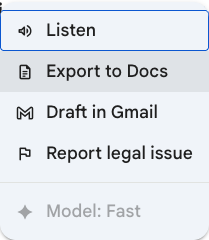
This will create a document in your Google Drive. Be sure to check for errors. AI is known to “hallucinate” or give a biased response.
CASAS
In adult education, assessment is tailored to the learner's path: ESL students take the CASAS STEPS test, while ABE, ASE, and certain Career and Technical Education (CTE) students take the CASAS GOALS 2 series. These assessments are administered upon entry and again after a minimum of 40 hours of instruction (or at the conclusion of a term). Beyond measuring progress, these gains trigger financial incentives for the program, providing tangible proof of instructional excellence and student growth.
The Individual Skills Profile Summary for your class is one of the most valuable CASAS reports for instructional planning, providing a clear snapshot of overall class performance. CASAS provides the Individual Skills Profile Summary for both the STEPS and GOALS 2 tests. Ask your CASAS Data Coordinator for a copy of your class Individual Skills Profile.
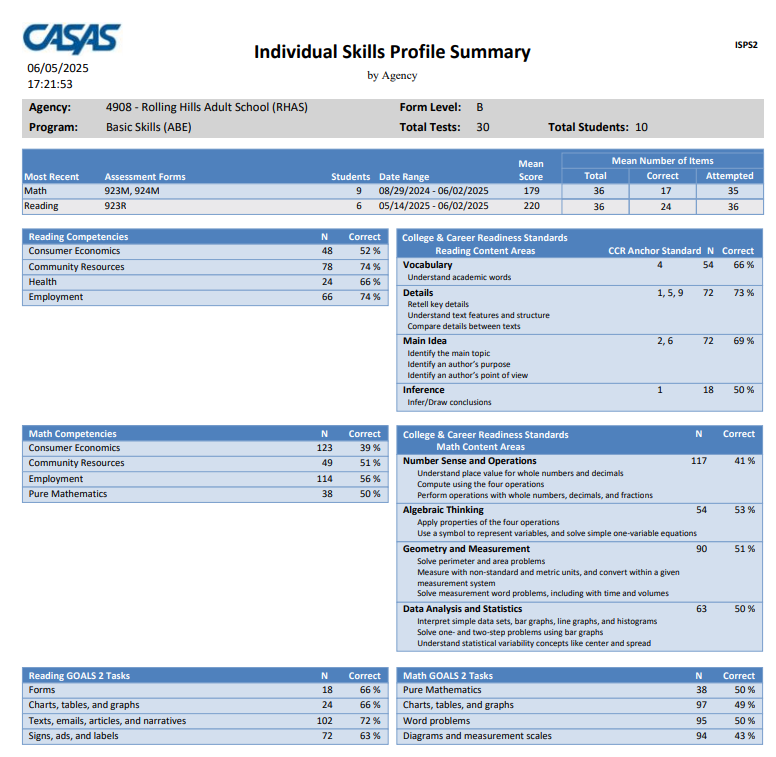
Source: https://www.casas.org/docs/default-source/topspro-enterprise-sample-reports (License: Protected by Copyright (c) [i.e. screenshot])
Individual Skills Profiles for each student offer deeper insight into each student’s learning needs, making them especially useful for grouping students by skill gaps and targeting instruction. Never upload personally identifiable student information to any AI platform. Instead, print the reports, redact student names, and replace them with a letter, number, or other anonymous identifier. After all identifying information has been removed, scan the documents into a single PDF file before uploading. This process allows you to analyze meaningful skill data while maintaining compliance with privacy requirements and safeguarding student confidentiality.
Setting up AI
First, we want to educate AI on the CASAS test. This is true for any other test such as the HiSET or GED tests. AI needs to know what’s on the test and what students need to know.
- Go to CASAS.org
- Select Assessments on the left.
- Select the appropriate test.
- As an example, I will select Goals 2 Reading
- There are five documents I want to upload to AI
- Reading Goals 2 Content Standard Blueprint
- Reading Goals 2 Competency Blueprint
- Reading Goals 2 Task Area Blueprint
- Reading Goals 2 Sample Items by NRS Level
- Individual Skills Profile Summary for your class
Most CASAS tests have these components.
Prompts
ROLE: You are an expert Adult Education Instructional Designer specializing in [ASE] instruction.
TASK: See Samples below:
- Please analyze the Reading data and suggest three areas of concern. Be sure to identify Task, Competency and Context.
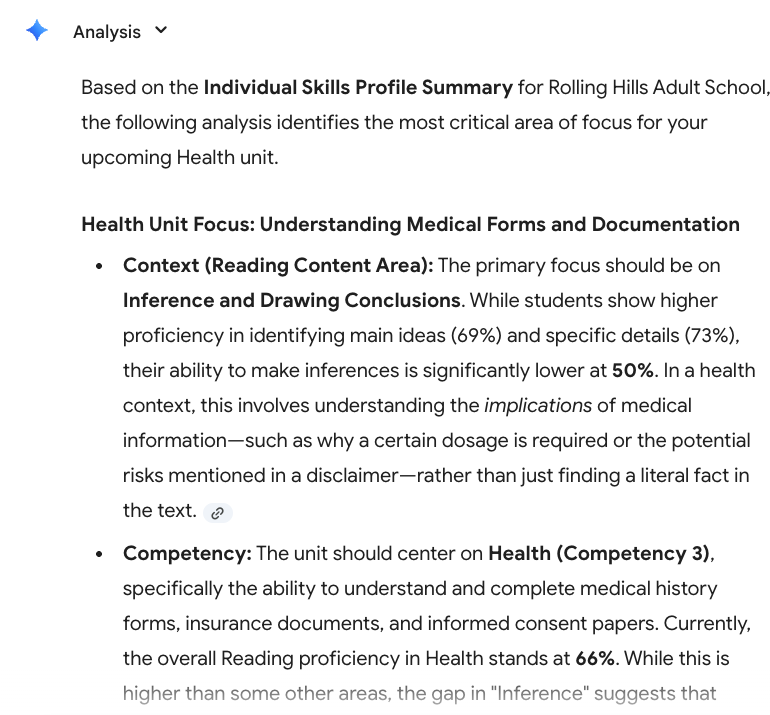
- My class will be focused on a Health unit for the next three weeks. Please analyze the Reading data and determine the best area of health to focus on. Be sure to identify Task, Competency and Context.
- Please create a Form, Sign, Ad, or Label with the focus of the questions on Inference and Drawing Conclusions. Create 10 multiple-choice questions.
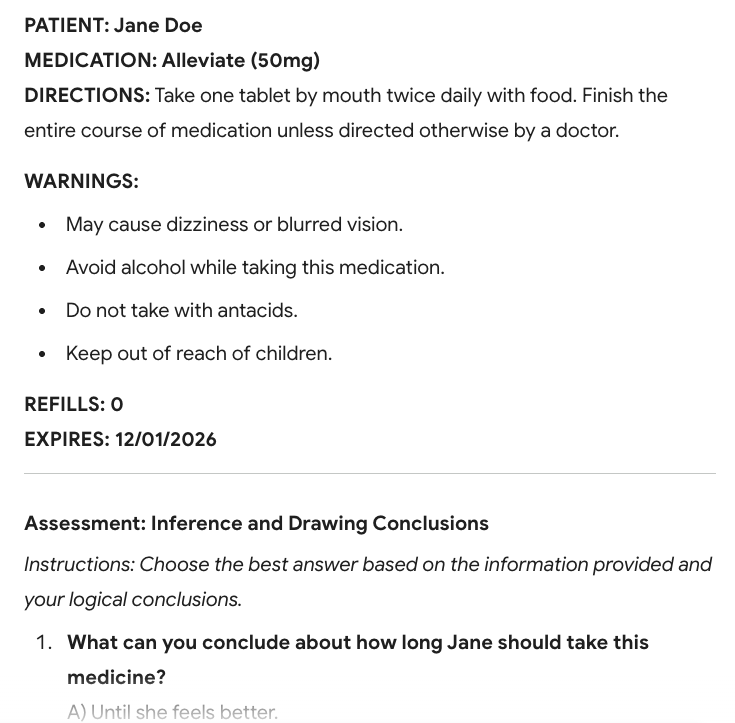
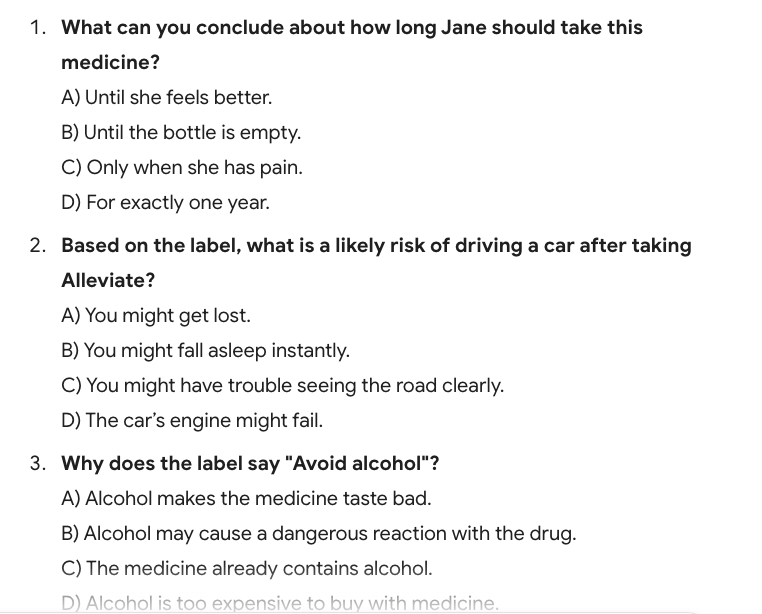
Source: https://gemini.google.com/ (License: Protected by Copyright (c) [i.e. screenshot])
- Please provide correct answers.
- Please create a seven-question worksheet to reinforce what students are learning in the classroom.
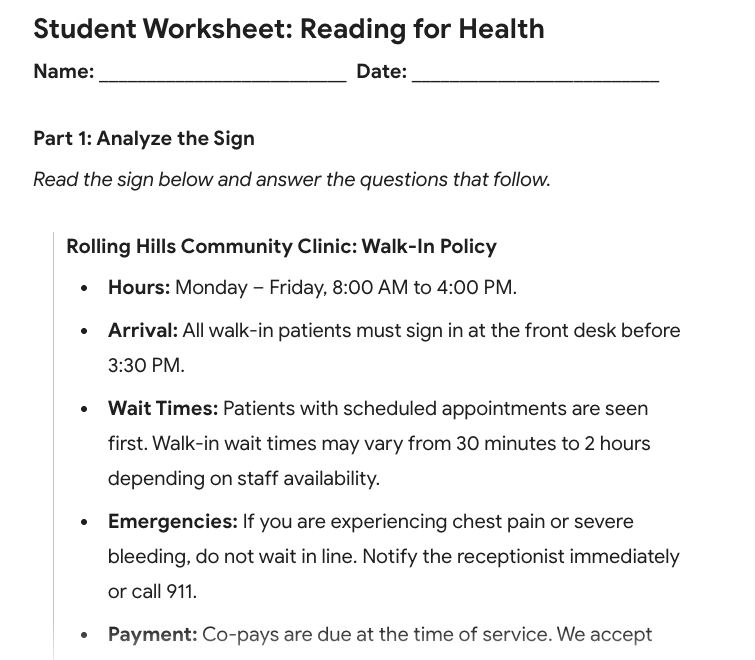
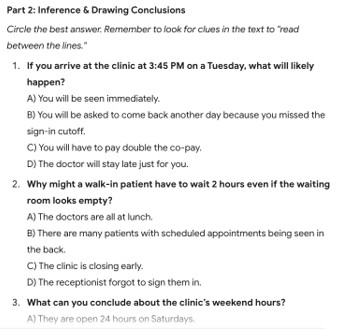
Source: https://gemini.google.com/ (License: Protected by Copyright (c) [i.e. screenshot])
- Please provide correct answers.
- Please create a 30-minute activity to reinforce these skills
CONTEXT: These students are [preparing for the high school equivalency test.]
TONE: The tone should be professional, encouraging, and focused on immediate instructional action.
Saving
When you find something you like and want to save, be sure to…
- Select the three vertical dots at the end of a conversation with Google Gemini.
- Select Export to Docs
Source: https://gemini.google.com/ (License: Protected by Copyright (c) [i.e. screenshot])
This will create a document in your Google Drive.
Once your data and CASAS information is uploaded, continue to use the same chat with AI to create worksheets, lesson plans, activities, and to clarify responses.
Remember that you are the pilot and AI is the co-pilot. Generative AI can assist with planning, analyzing data, and drafting materials, but educators remain responsible for accuracy and instructional quality. Always review AI-generated content for “hallucinations” (factual errors) before sharing it with students. By keeping your data anonymized and your prompts specific, you can transform routine tasks—like analyzing spreadsheets or creating practice materials—into tools that support stronger instruction.
This approach aligns with Chapter 8 of the new Digital Learning Guidance, which encourages educators to use generative AI thoughtfully while paying attention to privacy, bias, and verification of information. When used responsibly, AI can save time and support teaching, while educators continue to guide the learning experience.
Reference:
OTAN Digital Learning Guidance – Chapter 8: Generative Artificial Intelligence